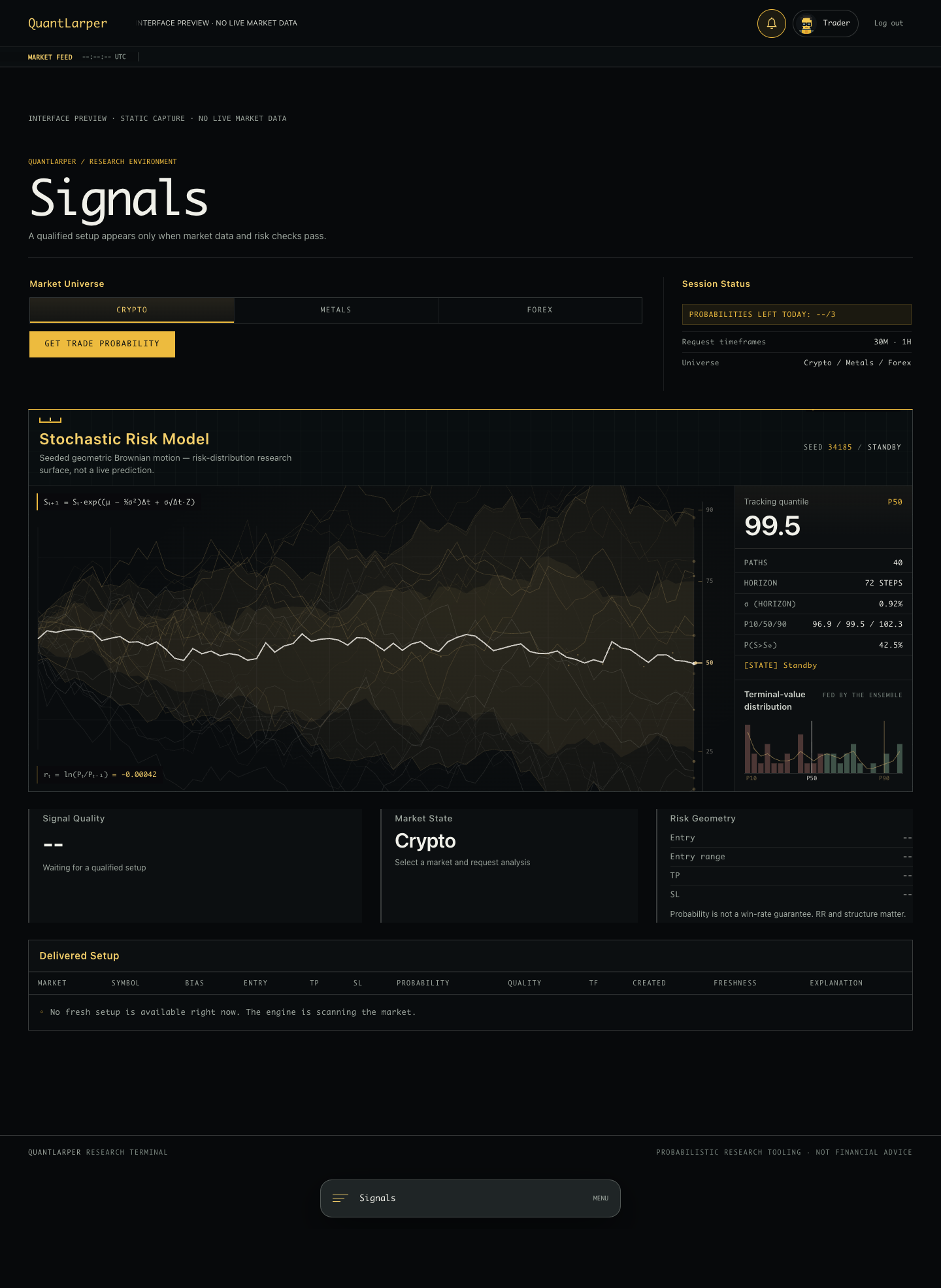
A private terminal that gives you a measured setup—or tells you there is nothing worth taking.
A setup. Not a “trust me, bro.”
Request a setup in crypto, metals or forex, subject to market hours and data availability. When one qualifies, you get direction, timeframe, entry, take profit, stop loss, an estimated probability, quality and a reason. If the data isn’t usable or no setup qualifies, you get WAIT—not a made-up signal. An estimate is not a promise.
AI Learning. Quant for absolute fucking beginners.
Don’t know what the fuck quantitative trading means? Start with 15 short lessons inside the terminal. Learn probability, risk and how to question a setup—not just copy a trade and hope. Try the exercises, check your understanding and pick up where you left off. No PhD required.
Trade alerts. Less refreshing.
Opt in on a supported browser, choose your markets, notification frequency and quiet hours. Open an alert to inspect the setup in the terminal. Alerts depend on permissions, device support and a qualifying setup—not a guaranteed stream of trades.
Your history. And what you missed.
Review received setups and recorded outcomes, including losses and trades still open. A separate missed / not received view shows recent setups you didn’t receive. These are system-tracked outcomes, not your broker’s P&L.
Backtest Lab. Test the idea before the money.
In development — the lab is currently offline. Not available with membership yet.
The plan: simulate your own model against historical data and examine its wins, losses and drawdown. Ask whether an idea survives costs and different market conditions—not whether one pretty chart looks good. Historical results won’t guarantee future performance.
Desktop or phone. Light or dark.
The same terminal, on your screen. Choose a theme, inspect the setup and its data freshness, and keep the risk in view. You decide whether to trade; QuantLarper doesn’t place trades for you.
Yeah, I know. The terminal looks a little childish. But the way it thinks? That shit isn’t child’s play. It checks the data, weighs the risk, and can tell you to wait. No guaranteed profits. No bullshit certainty.
Same terminal. Two moods. Click a capture to see every detail.
Desktop / dark theme / open full size ↗Phone / dark theme / open full size ↗
Static captures of the current interface. No customer data or live signal. The risk animation is illustrative, not a prediction.